Product tour
See TroTro, screen by screen.
A two-minute walkthrough of the real app — no sign-in needed. Pick a view, then step through the screens parents, drivers, and schools work with.
What a family sees, from the morning ride to the record it leaves behind.
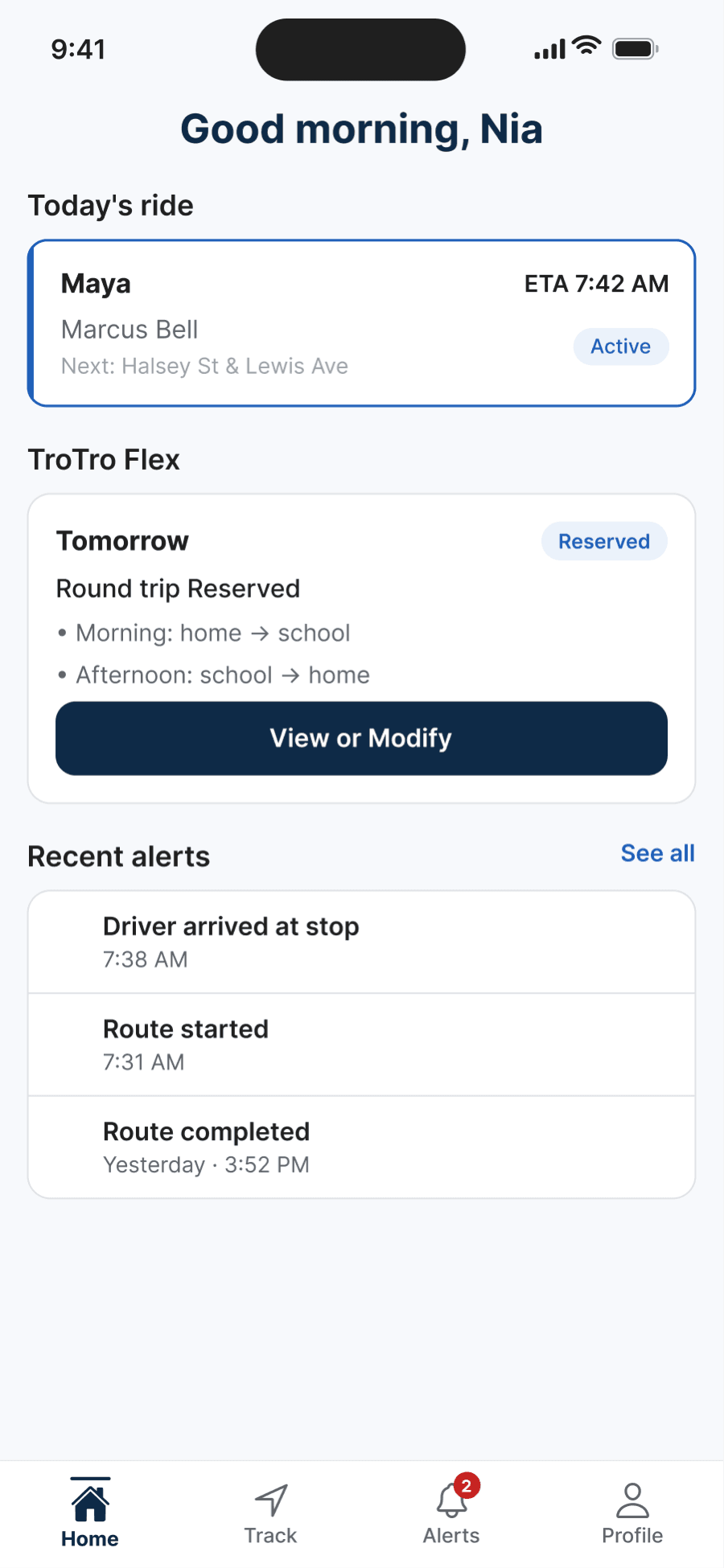
Screens show fictional sample data.
Step 1 of 5 · Home
Today's ride, at a glance
Open the app and today's ride is the first thing you see — no digging.
Today's ride
Your child, the assigned driver, the next stop, and an estimated arrival time, with the ride's status beside it.
TroTro Flex
Reserved Flex rides appear here with the morning and afternoon legs spelled out.
Recent alerts
The latest ride updates, newest first — See all opens the full feed.
See the school ride clearly — start with the app.
Download TroTro to explore the parent experience. Whether a ride is available depends on your service area and school.