For parents
Know the people, route, and status behind the school ride.
TroTro lets you see exactly how your child gets to and from school — who's driving, the route they're on, and where the ride stands right now.
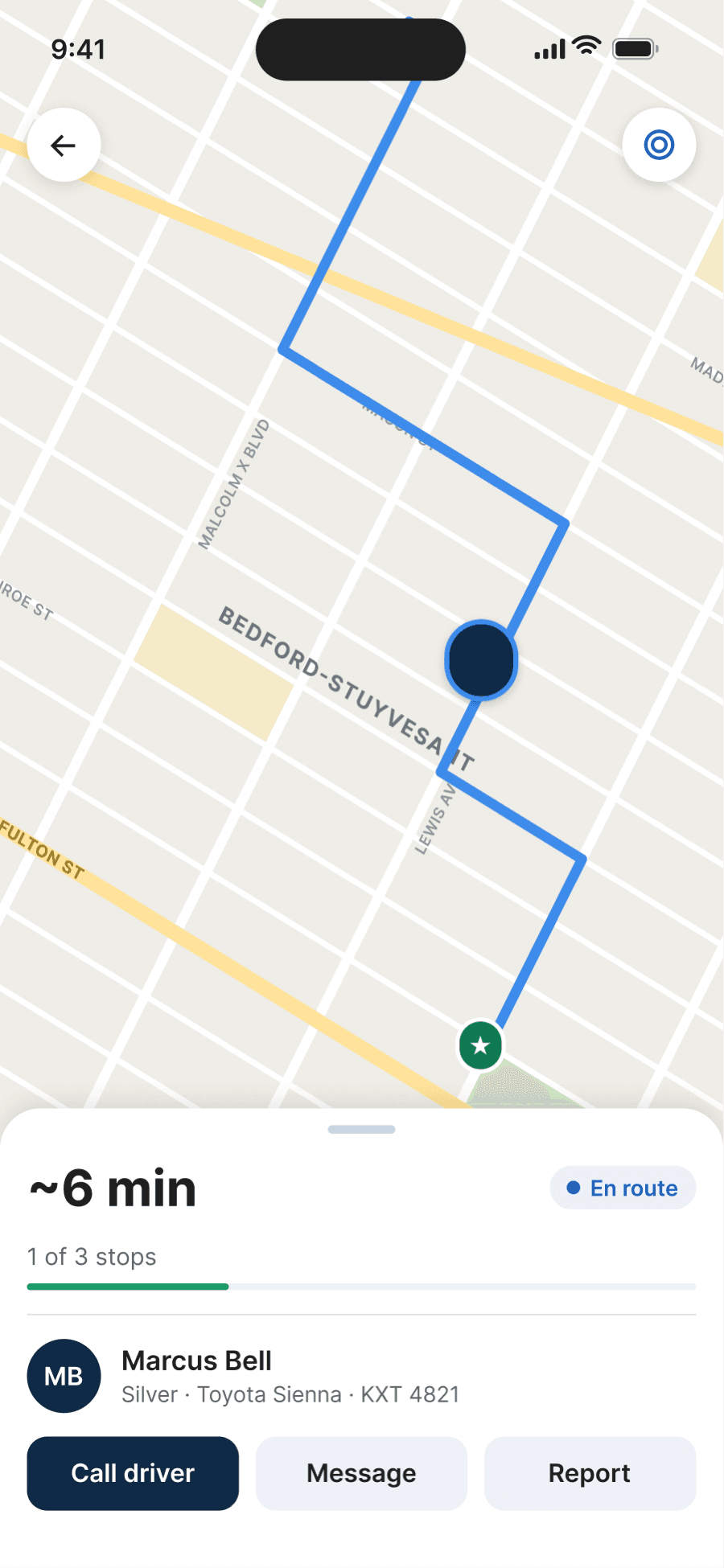
What you see
The ride, in plain view.
From the moment a ride begins, the parent app keeps you informed — not guessing. Everything below reflects what the app shows today.
Parent
Follow the ride live
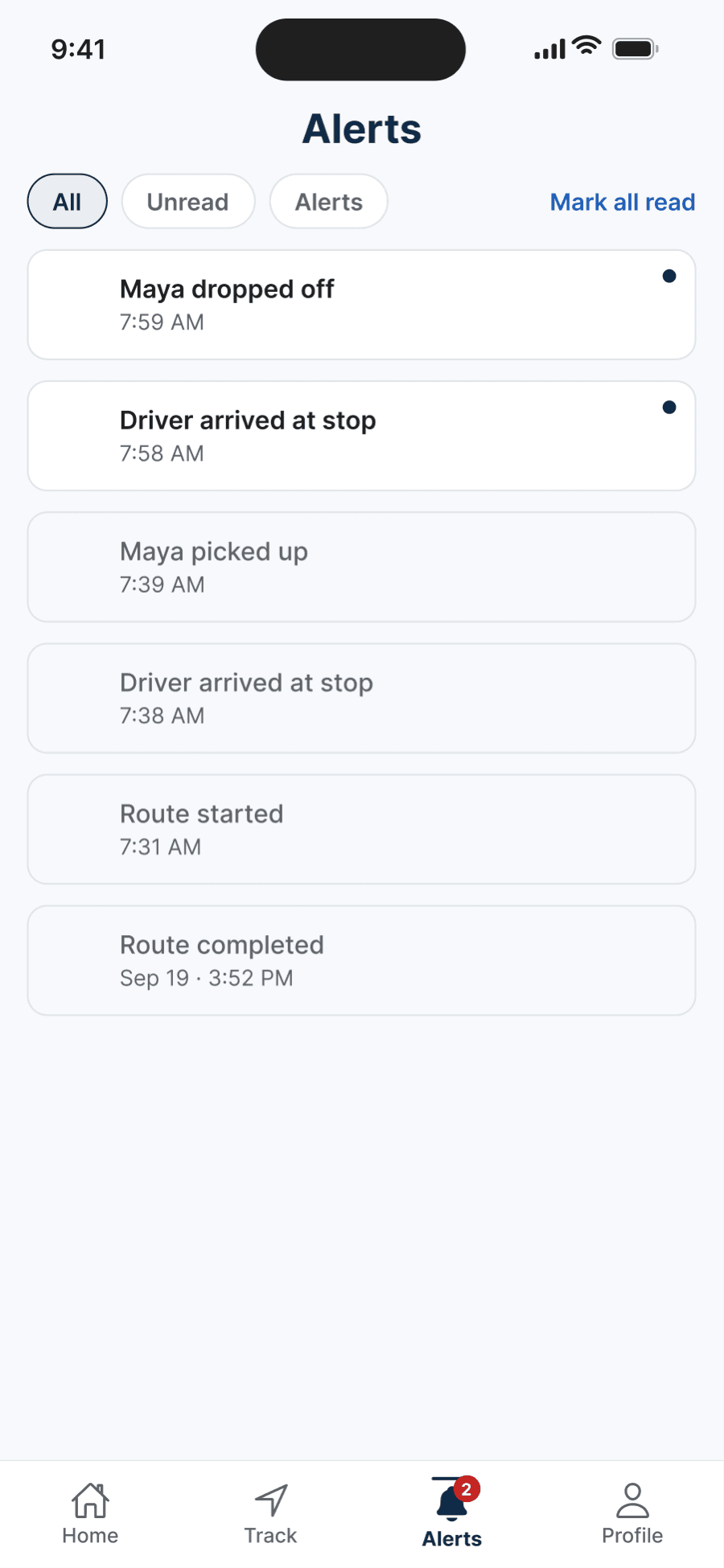
Parent
Notified at every step
Live ride status
See where the ride stands right now — on the way, arrived, picked up, or completed.
Who's driving
Your assigned driver's name, photo, and vehicle appear in the app, so you know whose hands the ride is in.
Route and ETA
Follow the route on a live map and see an estimated time of arrival as the ride progresses.
Pickup and drop-off confirmation
Pickups and drop-offs are confirmed at the curb — not assumed — and recorded as they happen.
Notifications at each step
Get notified as the ride moves through its key moments, from the first pickup to the final drop-off.
A record of every ride
Each completed ride leaves a record you can look back on, with its stops and confirmations.
How the ride comes together
Coordinated before it ever reaches the curb.
A TroTro ride doesn't start with a stranger and a request. Transportation is coordinated ahead of time, a qualified, approved driver is assigned to the route, and the ride then moves through confirmed states you can follow — arrival, pickup confirmed, drop-off confirmed, and completed. Along the way, you receive the updates that matter, so the ride stays visible from start to finish.
Arrival
The driver reaches the stop.
Pickup confirmed
The pickup is confirmed at the curb.
Drop-off confirmed
The drop-off is confirmed on arrival.
Completed
The ride closes with a full record.
One ride, connected
You watch. The driver drives. Operations coordinates.
The parent app is built for visibility. The driver works from a distinct execution experience — their own guided route app that walks them through each stop, pickup, and drop-off. They don't see the parent interface, and you don't manage the route. Each side gets the view built for its role, connected through the same coordinated ride.
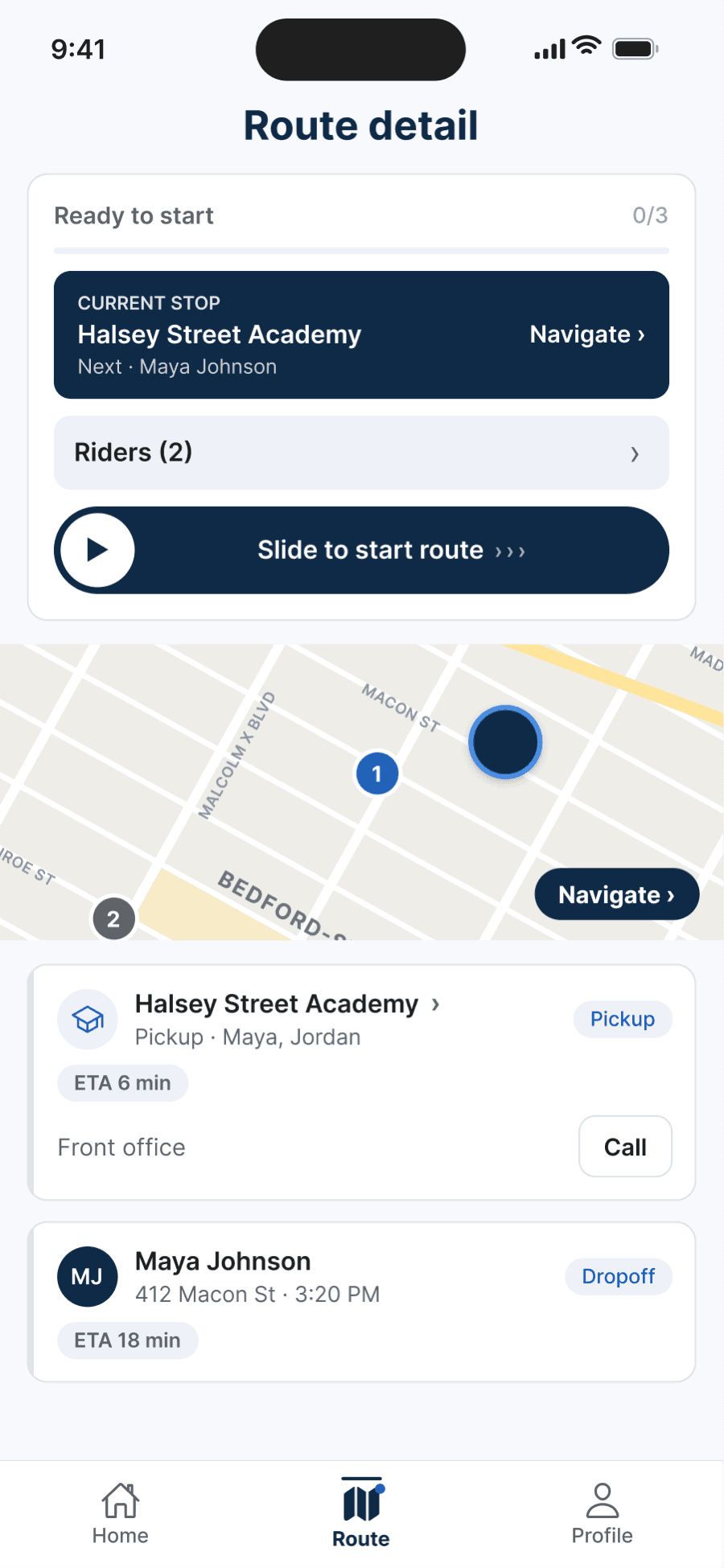
Driver
The route, stop by stop
The driver's guided route view — a separate app built for running the ride, not watching it.
The trust layer
Every driver is a verified driver.
Before a driver runs a TroTro route, they complete a structured verification process — and that status is visible in the parent app alongside their name, photo, and vehicle. Verification isn't a one-time stamp; it's part of how routes are assigned.
How TroTro Verified worksGetting started
What the app gives you — and what depends on service.
The app is open to anyone. An active ride depends on transportation service being available for your family. Here's how those pieces fit together.
App access
Anyone can download the TroTro app and explore how it works.
Transportation service
Whether a ride is available depends on your service area and school.
Eligibility
Service in a given area is tied to the schools and communities TroTro currently serves.
Driver access
Drivers join by invitation only, after completing structured verification.
Downloading the app does not by itself guarantee a ride. To find out whether transportation is available for your family, request it and we'll follow up directly.
See the school ride clearly — start with the app.
Download TroTro to explore the parent experience, or tell us about your family and we'll check whether transportation is available in your area.
Plans start from $85/week. We'll confirm your exact plan after a quick call.